Changelog
-
See what each session is doing from its tab, its sidebar row and its space, and which pane has the focus, with Esc to leave a pane.
New
- Show what a session is doing in place of its icon, on its sidebar row, its tab and the space holding it: an orb while a turn runs, a breathing ring while the agent asks for permission, a dot when a turn finished while the session was not on screen, and a circle with ! when the last turn failed
- Press Esc to give the focus back to the window from a pane, unless what holds the focus in it takes Esc itself
Changed
- Step through the stack of the pane holding the focus with ⌃⇥ and ⌃⇧⇥, and through the tabs anywhere else, the spaces included while the sidebar lists them
- Show the pane holding the focus by raising its floating card over the others, or by its title's chip in the Flat layout, in place of a stronger edge
- Draw the selected row in the sidebar and the library lighter while the focus is elsewhere
Fixed
- Keep your messages on the right of a session's transcript
- Type into a file in the right panel without clicking it first
- End a project heading's buttons in the sidebar where its rows' buttons end
- Keep the gaps between floating cards even
- Keep the terminal's cursor still while output arrives
- Find a session opened in the app through the Cydonia tools as soon as it is given its number
-
Fixes to the order of spaces, the Settings window and the right panel in the Flat layout, and a faster sidebar and transcript.
Changed
- List the sidebar's rows, and lay out a running turn, faster in large projects and long sessions
Fixed
- Switch spaces with ⌘1 to ⌘9 in the order the sidebar lists them, which is now the order of their tabs
- Keep the open Settings window on the section it shows when ⌘, brings it forward
- Fill the right panel like the content beside it in the Flat layout, where the window showed through it
- Find a new session through the Cydonia tools as soon as it has a number
-
Each window has one strip of tabs, a tab for each entry and each space, and a pane can hold a stack of entries. Spaces can be listed in the sidebar in place of the tabs.
New
- Open entries and spaces as tabs in one strip along the top of the window, reordered by dragging and scrolled sideways once they no longer fit
- Stack entries in one pane by dropping one on a pane's middle. The pane's title row shows the stack as a deck: press it to pick the entry in front or move it out, and step through the stack with ⌃⇥ and ⌃⇧⇥
- List each space with its entries in the sidebar in place of the window's tabs, with Settings › Appearance › Sidebar › Spaces in sidebar. The panes' title rows then run along the top of the window
Changed
- Show a pane's tools in its title row while the pane has the focus or the pointer is over its title row
- Draw the strip's tabs flat in the Flat layout
Fixed
- Open a board an agent makes in the default board view, and its cards with a plain title
- Bring the Settings window forward on ⌘, pressed in it, instead of opening another
-
Find entries by their labels from the search palette and @, and fixes to floating tabs, the formatting bar, selections and the Settings window.
New
- Find articles, boards and sessions by their labels in the search palette and @, without typing l: first
Changed
- List the entry a bare number names, as in @12, ahead of the cards with that handle, in @ and the search palette
Fixed
- Line up each pane's first tab with the left edge of its floating card
- Keep the formatting bar up while its block menu is open, so opening the menu no longer dismisses it
- Drop a selection in a session or a comment once the focus moves elsewhere, such as into the composer
- Bring the open Settings window forward instead of opening a second one after the main window was closed and reopened, and apply what it changes to the reopened window
- Set the composer and other glass controls off a light floating card with a soft shadow, where they blended into it
- Keep a link's preview card opaque while the pointer is over it
-
What is open floats on a card over the window, the new default layout, with Flat a pick away in Settings. A What's New sheet says what changed the first time a release opens.
New
- Draw what is open on a floating card over the window, picked as a layout in Settings › Appearance › Window, with Flat to go back. Floating is the default
- Set how much of the window shows through the card with Card transparency, as see-through as it goes by default
- Give each pane in a space its own floating card, with its bars on the chrome above it, its front tab framed and the focused pane's card edge stronger
- See what is new the first time a release opens, and again from the cydonia menu or Settings › General
Changed
- Remove labels from board cards, with the label picker in a card's drawer and the board_set_card_label tool. A label already written in a card's properties.toml is left in the file
Fixed
- List the board's cards in a card's blocker picker before anything is typed
- Return to the pane a space was last focused on when switching to it
- Keep a space's focused and zoomed pane when its first tab closes
- Settle a dropped list row into place on a board
- Show a selection across highlighted text: a highlight is a translucent wash of its colour, and the selection shows through it
- Paint find matches as tints of the find colour, the current one included, so a selection under them still shows
- Keep highlighted text and the letter under a block caret readable, drawn in the colour of what they sit on where their own does not read
- Draw a letter under a block caret in the same colour a selection of the caret's colour gives it, in articles, code blocks, text fields and terminals
-
Apps: install one from a registry and it runs in its own view, reaching only its own tables and the hosts it names. Links to files open the file, and text stays readable under a selection, a highlight or a block cursor.
New
- Install an app from File › Install App… with its reference, as in ghcr.io/owner/app:1.0.0. Apps are listed in the sidebar's Apps group and the Library's Apps tab, belong to no project, and keep their own tables
- See what an app reaches while it starts: tables of its own, and the hosts it fetches from, the only ones it can reach
- Build and run an app from its source folder with File › Load App from Folder…, after turning on Developer mode in Settings › General. It is marked Local
- Write apps in Rust with the cydonia-guest crate
- Find the cards a card waits on by searching for them
- Name a card in @ by its bare number, as in @12, to list the cards with that handle on every board of the project
Changed
- Keep a card that waits on another named on both cards, so a card knows what waits on it, across boards and projects
- Tell agents which cards were waiting on a card they move, so they can clear what they finished
- Show a highlight through a selection over it, and a find match or a margin note's mark the same way
- Build on Bezel 0.2.15 from crates.io
Fixed
- Open a link to a file in its default application. A link to a folder still opens it in the file manager
- Keep selected text, highlighted text and the character under a block cursor readable, in articles, code, fields and the terminal
- Keep each pane's tab in front when a space opens
- Leave a dragged lane's or group's rows out of the list while it is carried
-
Article threads: ask about a passage and the answer stays with the article. Cards sent to a session you pick, cards that wait on other cards, and a description on each board for the agents working it. Agents' notes in an article's margin, @ links to board cards, an extended sidebar, and a window that redraws only what changed.
New
- Ask about a passage of an article: select it and press Ask or Explain on the formatting bar, and the answer comes in the article's own session under the page. Article threads can be switched off in Settings › Features
- Agents file notes in an article's margin with article_comment, each against a passage of its markdown and linked back to the turn that filed it
- Show margin notes beside their lines, or as a mark with a count that opens the note, from Comments in Settings › Appearance. A narrow pane shows marks
- Link a board card with @ and its handle, as in @DEV-12, shown as a chip carrying the handle
- Find a card by its handle in the palette
- Right-click a picture opened full size from a session to open it, reveal it, copy it or copy its address, and open it in another app from the button beside the zoom
- Send a card, or a column's open cards, to a session from ▶: the session that last held the card, the project's recent sessions, or a new one
- Make a card wait on other cards, on any board of any open project, from under its head. It shows blocked until they are gone
- Give a card one label from beside its handle
- Describe a board from Add description in its menu, opened in the pane's drawer. Agents read it with the board and its cards, and set it with board_describe
- Show each sidebar entry's preview, labels and when it last changed with Extended sidebar in Settings › Appearance
- Agents find text in the cards of a project's boards with board_search_cards
Changed
- Redraw only the pane, sidebar row or embed whose entry changed, so typing in an article or a session streaming no longer redraws the whole window
- Scroll, select and find in each pane on its own when two panes show the same board or article
- Title a card's chip by its heading or its opening text
- Open every switch in the composer as a submenu, and scroll a long one
- Hold an article's cover only while the article shows it, in place of the Cover memory setting
- Write entries to a temporary file and rename it into place, so a save cut short leaves the last one whole
- Ship Linux releases as .tar.xz alone: the .tar.gz kept for the updater of v0.1.20 and earlier is gone
- Tag a card busy as its only status, in place of busy, blocked and done: a finished card is moved to the column that says so
- Remember on a card the session that last held it: the one that made it, last sent it or last tagged it busy
- Leave archived boards out of board_list, board_search and board_search_cards unless asked for
- Build on Bezel 0.2.14 from crates.io
Fixed
- Draw hover cards on an opaque background
- Resolve relative links in articles and cards against the project
- Keep an article's title, the line under it and its page in one column, with room for a note beside the text
- Count only sessions whose transcript is in memory in Settings › Performance
-
Labels on articles, boards and sessions, and a Library tab for each. A color theme for light and one for dark, and 18 more themes: Absolutely, Codex, Linear, Lobster, Material, Matrix, Monokai, Night Owl, Nord, Notion, Oscurange, Proof, Raycast, Rosé Pine, Sentry, Temple, Vercel and VS Code Plus.
New
- Pick the light theme and the dark theme separately in Settings › Appearance, each listing the themes that come in that mode
- Paint the app in Absolutely, Codex, Linear, Lobster, Material, Matrix, Monokai, Night Owl, Nord, Notion, Oscurange, Proof, Raycast, Rosé Pine, Sentry, Temple, Vercel or VS Code Plus
- Hover a link to an article to read its opening, or the lines or section it names, and a link to a card to read the card; a session or board link shows its title, kind and number
- Label articles, boards and sessions from the Library's Labels column, or a whole selection at once with Label, and filter the Library by label from the column's heading. Labels are shared by every open project, and a label's ··· renames or deletes it everywhere
- Search for the entries carrying a label with l:, as in l:research
- List only a project's entries carrying one label in the sidebar, from Filter by label in the project's menu
- Agents set an entry's labels with project_label_entry, and project_entries lists them
- List articles, boards and sessions in their own Library tabs, each with the columns its kind has, such as a session's Agent and Status, and filter or sort from a column's heading
- Read an article's labels, word count and when it was last edited on the line under its title, hover the date for when it was created, and add a label there
- Open terminals and browser tabs in the Library's right panel, starting in the directory of the pane before it
Changed
- Show the hue and intensity sliders while either mode is painted in Cydonia's own colors, and tint only that mode
- Run window commands like cmd-j while the Library is open
- Size menus with described rows, and the Library's label picker, to their contents
- Build on Bezel 0.2.12 from crates.io
Fixed
- Remember the color theme across restarts
- Keep a list or a code block inside a quote quoted
- Select text in a long article without the selection lagging behind the pointer
- Use cmd-e on an article that is not the first tab in a space
-
Color themes: Ayu, Catppuccin, Dracula, Everforest, GitHub, Gruvbox, One, Solarized and Tokyo Night, each in light and dark.
New
- Paint the app in a color theme from Settings › Appearance: Ayu, Catppuccin, Dracula, Everforest, GitHub, Gruvbox, One, Solarized or Tokyo Night, each following the light or dark mode, with code and terminal colours to match
- Name part of an article in a reference: #12:5-7 for its lines and #12#setup for the section under a heading. It opens with that part at the top, embeds as those blocks, and article_read and project_read_entry read it alone
- Open a board card from a link such as cydonia://cydonia#DEV-12 in the pane's drawer to edit, with its title and handle on a chip and its text on an embed
Changed
- Open an article from a link in the pane's drawer instead of a one-row list
- Hide the hue and intensity sliders while a color theme is picked
- Build on Bezel 0.2.11 from crates.io
Fixed
- Put the heading an outline entry jumps to at the top of the pane, whether it was above or below
- Follow a link to a heading in the same article instead of failing to open it
-
Statistics in settings, one directory per board with one folder per card, and backups you can roll back to when a release changes how things are stored.
New
- Read activity and token usage in Settings › Statistics: an activity heatmap, words written, cards created and done, and spend over 7, 30 or 90 days, priced from LiteLLM's list
- Count tokens from the logs Claude Code and Codex keep of every session run in the project's directory, whoever started it
- Keep each card's pictures in its own folder, and edit cards with the article editor's pictures, mentions and paste
- Back up the files a migration replaces under ~/.local/share/cydonia/backup, and manage, delete or roll back to them in Settings › Backups
- Name the current session in the context agents get, and sign messages between sessions with a chip of the sending turn
Changed
- Store each board as a directory, with one folder per card holding its text, properties and pictures, so agents editing different cards no longer clash
- Keep a card's id when it moves to another board or project
- Rename .cydonia/entries.db to .cydonia/state.db, which now also holds statistics
- Switch an agent to the browser tab already at a url instead of opening another
- Build on Bezel 0.2.9 from crates.io
Fixed
- Insert a quote at the composer's caret instead of above the draft
- Run search palette commands on the surface focused when the palette opened
- Take an archived entry out of its spaces wherever it is archived
-
Mermaid diagrams, read-only session cards, one entry matcher for search and @, and tabs that close back to where you were.
New
- Draw mermaid flowcharts, state and class diagrams in articles, and resize session cards and diagrams by dragging their bottom edge
- Rank the search palette and @ with one matcher, with references and kind prefixes
- Rewind the last message back into the composer, and recall it with up
- Copy and paste from a terminal's right-click menu
- Close a tab from its right-click menu, and open the right panel from a space's top-right pane
- Read a page's console log as an agent, and open the web inspector
- Keep the caret outlined while the window is inactive, from Settings
Changed
- Show session cards in articles as read-only transcripts in the code-block box, and let /Session pick an existing session
- Put a quote into the composer as a blockquote
- Draw mermaid nodes translucent on the glass
- Draw the selected sidebar entry and a carried entry on glass, and clear glass over a space's drop target
- Build on Bezel 0.2.9 from crates.io
Fixed
- Land on the last tab used when closing a tab in a space, not the top-left pane
- Keep a pane's new article or table in the open space
- Leave a project's fold alone when making an entry
- Match plain-text mode to the preview's typography
- Cover the web page with the search palette, dialogs and drawer
- Ignore sideways scrolls in vertical panes
-
A floating heading outline in articles, @ mentions as chips, the app caret in terminals, and live session cards that match the session pane.
New
- Float a heading outline over articles that tracks the reading position, and switch spaces with ⌘ and a number
- Write @ mentions as chips in the session composer, matched by partial references across open projects, with kind icons and agent logos
- Draw the app caret's shape and blink in terminals, painting the terminal cursor in the caret colour
- Let agents retitle their own session, and find which open project a board key belongs to
- Show a session card's entry number in its title bar
Changed
- Give session cards in articles the session pane's status line, model and mode switches, context usage and reconnect
- Tell agents to check out worktrees under .cydonia/worktrees, and to write above a session card that ends an article
- Build on Bezel 0.2.8 from crates.io
Fixed
- Focus a new session card's composer from the slash menu and scroll the article to it
- Keep the focus where it is when a project is re-read
- Scroll the transcript while a selection drag is held past its top or bottom edge
- Keep back and forward in place across the sidebar toggle
- Carry a board list row at a set width with its handle ahead of the title
- Pass up and down to the composer field when no picker is open
- Prune the preferences of deleted sessions
-
Entry links across articles, sessions and boards, window-wide back and forward, and pictures dropped anywhere on a session.
New
- Link sessions, articles and boards with @ in articles and the session composer, shown as chips and cards, with session excerpts and links to single turns
- Peek at a linked entry in a pane drawer, and let agents resolve cydonia references
- Go back and forward window-wide across projects and spaces, returning to where you were
- Drop pictures anywhere on a session pane, in a space too
- Build an article's slash menu from the editor's default rows
- Reveal and copy the path of projects, entries and articles from the sidebar, and open a project's menu on right-click
- Pick a block cursor height in Settings
- Auto-scroll a terminal selection dragged past the top or bottom edge, and select words and rows with a double or triple click
Changed
- Draw selected and editing board cards with hairline edges and a tinted fill
- Archive or delete a tab through the pane close, landing on the top-left pane
- Share one right-panel toggle between the panel and the header
- Build on Bezel 0.2.7 from crates.io
Fixed
- Paint highlight, selection and search colours at full strength as picked, like the cursor, in the text, the colour well and the picker alike
- Resolve entry chips in transcripts across open projects, and name turn runs
- Centre the macOS traffic lights on the header's measured height
- Move an empty board lane's add row with its heading while dragging in the list
-
Custom colours, board drag with motion, window blur, and article covers kept with their pictures.
New
- Pick any colour for highlights, selection, search results and the cursor from a colour picker in Settings, beside twelve presets for each
- Drag board cards and lanes with motion, carried list rows painted as glass
- Find the next and previous match with ⌘G and ⇧⌘G, rebindable in Settings
- Select by word or line with a double or triple click in the markdown preview, and drag to extend by it
- Read the instructions and resources Cydonia gives agents, word for word, in the docs
Changed
- Show colours in Settings at full strength, and fall back to the default for a colour settings.toml cannot read
- Adjust window blur with a slider in place of Reduce transparency
- Open a fetched web picture's local copy when it is opened in another app
- Keep an article's cover in its assets folder beside its pictures; covers already filed beside the article still show
- Give article paths in MCP results and the cover tool's picture relative to the project directory instead of absolute
- Rename Save pasted pictures to Download web pictures, carrying keep_pasted_images in settings.toml over as download_web_images
- Build on Bezel 0.2.6 from crates.io
Fixed
- Keep the find field focused across plain text
- Place the macOS traffic lights in the header and keep the sidebar toggle clear of them
- Keep the tab inset off the sidebar toggle when the sidebar is folded
- Drop the accent border from the board drag preview
-
Commands in the search palette, an editor section and colour controls in Settings, and opening files and pictures in other apps.
New
- Run commands and see their shortcuts from the search palette, with recent commands, a Commands filter chip and a > prefix
- Open files in a remembered app from a split button, with Finder and Terminal entries and open-with choices in Settings
- Open preview pictures in another app, and see article pictures reload when they change on disk
- Paste media in source mode, keeping pasted image links local
- Set selection, search result and cursor colours from preset popovers, and pick the cursor shape
- Adjust window transparency with a slider; frosted glass stays macOS only
- Show traffic light window buttons off macOS
- Update an agent from its version tag in Settings
Changed
- Gather editor settings into their own section and groups, with paste options and a switch for the settings sidebar width
- Leave the in-window menu out off macOS now that commands live in the palette
- Open boards as a list by default and indent spaces in the sidebar
- Move tab strips, docking and the sidebar onto Bezel's drag module
- Build on Bezel 0.2.5 from crates.io
Fixed
- Fix the settings window layout and show browsing data on a single line
- Make the sidebar toggle in Settings work again
-
Browser settings, clearer browsing-data controls, smoother session layouts, and smaller Linux downloads.
New
- Choose the browser search engine, home page, and whether web links open in a panel tab or the system browser
- Control whether browser tabs keep you signed in and which sites agents may read or interact with
- See how many sites store browsing data and clear it after closing all browser tabs
- Hard reload browser pages from the reload menu, Shift-click, or the keyboard shortcut
Changed
- Group settings into Workspace, Agents and Advanced, and move the sidebar Settings button to the bottom right
- Ship Linux downloads as tar.xz while keeping tar.gz available for older updaters
- Build on Bezel 0.2.4 from crates.io
Fixed
- Keep the end of a transcript scrollable above a growing composer, including in layout panes
- Create tabs when an entry is dropped onto a single-entry view’s header
- Open the current project’s right panel when an agent opens a browser tab
- Stop pane controls and the tab-strip scrollbar flickering on hover
- Dim browser back and forward buttons when their direction is unavailable
-
Agents can drive the browser tabs in the right panel, links that open a new window open a tab, and the Linux build leaves the browser out.
New
- Let agents open, read, click, type and scroll in a project's browser tabs over MCP, offered only while browser tabs are on
- Open links that ask for a new window in a new browser tab
Changed
- Leave browser tabs out of the Linux build, where pages never showed
Fixed
- Copy a transcript selection with ⌘C inside a space
-
Browse the web in tabs in the right panel, kept across restarts and switchable in Settings, and the Linux build starts again.
New
- Browse the web in right panel tabs, with back, forward, reload and an address bar that searches when it is not given a URL; tabs come back after a restart
- Switch browser tabs off in Settings → Features
Fixed
- Start the Linux build, which had no display backend
- Title the main and settings windows, which Linux taskbars listed as untitled
- Show the + on a project row in the sidebar
-
A ⌘K search palette finds articles, boards and sessions across every open project, with a find bar inside articles and transcripts and link previews in articles.
New
- Search articles, boards and sessions across every open project from a ⌘K palette, with filters and a button to open a project
- Find text in an article or a transcript with a find bar
- Show a link's title, description, picture and icon in bookmarks, inline mentions and a mention's hover card, fetched from the page
- Preview X posts with their author, text and picture
- Pick a quote's kind from a Quote submenu in the slash menu
- Zoom into images in a transcript, the user's and the agent's alike
- Search sessions and articles from agents through session_search and article_search
Changed
- Fold the sidebar's Projects and Spaces sections, with one highlight that follows focus
- Feed terminal output to the window in batches
- Build on bezel 0.2.2
-
Boards, sessions and articles are read and written through one project backend, so a project can live somewhere other than disk, and Cydonia runs in the browser on one held in memory.
New
- Try Cydonia in the browser from the website, on a welcome project and a tour project held in memory, with a stand-in agent, settings and project files
- Keep projects in memory as well as on disk, through a project backend that boards, sessions, articles, numbering and watching all go through
- Switch the right panel's Review and Files tabs on or off under Settings → Features, with a link from the panel back to the switch
- Move an article to another open project from its ··· menu, pictures included
- Drag list groups by their heading to reorder them
- Reopen the window where it was left, at the same size, maximised or in full screen
Changed
- Split the workspace into the cydonia-gui crate, with agents, the terminal, the MCP server, hotkeys and the updater behind a desktop feature
- Open the right panel at half the window in a directory it has never been used in, and keep its width as a share of the window
- Carry a list row as one line while dragging it, rather than as a card
- Show a space pane's + and ··· only while its tab bar is hovered, and a list group's + beside its ···
- Scroll tab strips with an overlay bar that takes no room
- Stand the controls at the end of a row 12pt off the edge, mirroring the traffic lights
- Right-align a card's status in the lanes, centred and spaced off the session mark
- Build on bezel 0.2.1
Fixed
- Keep a board edit from overwriting a change another writer saved first: it is replayed on the fresh board instead
- Start the terminal on Windows, in PowerShell when no shell is set
- Show an agent's approval prompt and plan in a session pane inside a space
- Keep a drag on a resize bar from selecting text in the panes beside it
- Scroll a board sideways smoothly: one handler moves it instead of two
- Keep syntax colours on their characters while a file is edited, until it is highlighted again
- Find cards with ⌘F in a space's board pane before it has been clicked
-
Cydonia runs on Windows and Linux and updates itself there, spaces can create entries in place, and the board drawer and card menu get quicker to use.
New
- Run Cydonia on Windows and Linux, with a Windows installer, Ctrl shortcuts and the menu bar's tree behind a button
- Update in place on Windows and Linux
- Reveal files and open them with another app on Windows and Linux
- Create a session, board, article or table right in a space's pane from the + in its tab bar
- Move a card to another column from its ··· menu
- Close the card drawer by clicking its card again or anywhere else on the board
Changed
- Open the right panel at half the width the first time, and remember the terminal panel's height across restarts
- Draw the board's drop line thinner and softer
- Spin a card's orb only while it is busy, and show its session otherwise
- Open a long composer switch as a capped, scrolling list, and cap every menu at the window height
- Follow the terminal's working directory as the shell reports it, including PowerShell's cd
- Move to bezel 0.1.29, with thinner scrollbars and its highlight colours
Fixed
- Fade scrollbars once the pointer leaves the window
- Keep a session started by another session in the background instead of switching to it
- Keep a space open when the right panel saves its layout
- Install agents into a freshly generated settings.toml
- Fit tall pictures inside expanded previews
- Copy the text itself from inside a code fence
- Keep multi-byte text from crashing article_highlights
-
Board cards open in a resizable drawer, articles gain highlights and portable image paths, and agents can see what is on screen.
New
- Read a card’s full rendered content in a bottom drawer, with resize, expand and restore controls
- Edit and preview cards in the drawer, save with ⌘Enter, or cancel edits
- Keep unsaved card drafts when switching cards or closing the drawer, until the pane or app closes
- Highlight text in an article with ==text==, from the formatting bar or ⇧⌘H
- Pick the highlight colour in Settings → Appearance, from Apple's yellow, green, blue, pink and purple
- Let agents list an article's highlights through article_highlights
- Let agents see the entries on screen through workspace_focus
- Type a file's path into the terminal when it is dropped or pasted there
Changed
- Simplify lane cards, remove the nested editor border, and mark clipped previews with …
- Give list rows readable single-line titles and quieter styling, open them in the shared drawer, and simplify group controls
- Skip offscreen lanes and list rows, cache bounded card previews, and avoid unnecessary redraws while scrolling
- Replace card chat buttons with a clickable busy orb that shows the working session on hover
- Store body images as paths relative to the article folder, so a copied article keeps its pictures
- Remove the preview badge from the board feature
- Move to bezel 0.1.27
Fixed
- Keep horizontal board swipes from being intercepted by code and table previews
- Keep board scrollbars from highlighting while resizing the drawer
- Preserve card metadata when saving drafts and report conflicting edits without discarding the draft
- Place the caret and start selections from presses on the article's page margins
- Release the article editor's focus on a press outside the article
- Name focused articles by id in workspace_focus, and mark a lone entry focused
- Let a dragged side panel grow wider than the main panel
- Highlight collapsed list groups as drop targets
-
Sessions talk to each other, read and search one another by turn, and thoughts fold to a line.
New
- Send a message to another session, or start one on a named agent with it, through session_send
- Read a session's turns by reference, #43:5-7, through session_read
- Search every session in a project, or one, for text through session_search, answered as turn references
- Name a session in another open project by its folder, cydonia#43:5-7
- Sign a message one session sends another with the turn it was sent from, so the other can read back
Changed
- Collapse a thought to one clipped line that opens on click
- Tell the tools which session is calling, from the moment it connects
- Move to bezel 0.1.25
Fixed
- Keep the agent search's hairline fixed while the list scrolls
- Give two sessions started in one millisecond ids of their own
-
A page carries its own pictures, a program sees the keys you hold, and the transcript rail follows the turns on screen.
New
- Report keys under the kitty keyboard protocol, so a program sees one held and let go
Changed
- Keep a page's pictures in its own folder, so they move and are deleted with it
- Read a key by the layout it was typed in before sending it to the terminal
- Move to bezel 0.1.24
Fixed
- Read the transcript rail off the turns on screen, and take its run from the list's measurements
- Stand an entry's menu where the right press landed
- Release a key left held when the terminal stopped hearing it
- Carry reduced transparency across the app rather than the window alone
- Keep a space when a pane of tabs is left, and close tabs back to the last one
- One icon button and one band across every column
-
Images in the terminal, a sidebar that sorts and reveals, and an entry's menu wherever you press it.
New
- See a picture a program draws in the terminal, placed where it put it on the grid
- Sort a project's entries by hand, by name or by when they were written to
- Open an entry's menu with a right press anywhere on its row
- Find the entry a pane is showing in the sidebar, with the projects above it opened to it
- Start a first run with a project already open and sessions turned on
Changed
- An entry's menu drops from the end of its row rather than its left edge
- A pinned row carries a pin that opens its menu, in place of the ···
- Fetch a fence's grammar when a document first asks for it, rather than ahead of one
- Name a page article_path in the agent tools, the way the app spells it
- Move to bezel 0.1.23
Fixed
- Put a cover on an article only where one was asked for
- Measure a page by one inset whichever width it is read at
-
A layout is a space, the docs are on the site, and a selection follows the pointer off the text.
New
- Pick the families the app is set in, and one size for everything fixed pitch
- Open the right panel beside an article or a board, not only beside a session — one panel per project, with its terminals and files kept there
- Start a session with any ACP client the registry publishes, not a fixed few
- Order layouts by hand, and open a new shell tab where you already are
- Fold a list's lanes, and reach a column's menu nested inside it
- Give any agent tool a list wherever it took one thing
- Read the docs at /docs
- Rename a board from an agent, and re-key it when the handles should change with it
- Put a cover on an article from an agent, filed where the app looks for it and cut to the shape it is shown at
- Put an article or a board away from an agent, and bring it back
- Let agents delete an article or a board, behind a switch of its own in Settings › MCP
- Turn article covers off for the app, giving the band's space back to the page
- See which installed agents the registry has moved on from, and update them in place
Changed
- A layout is a space, named the same on screen and on disk
- The right panel stands beside a space as the shell does, rather than going down when one opens
- Pane tabs and the right panel's tabs are one strip: an icon, a reference, a mark for unsaved work, and a row that scrolls once it fills
- Reach the Developer section with a feature rather than a debug build
- Lead with running agents on the front page, and tighten the site's radii and buttons
- An agent is asked about before it is installed: what it fetches, where from, and whether the download is checked
- Install, update and remove are glyphs on the agent row, and the version is the link to what it was published from
Fixed
- Keep extending a selection when the pointer leaves the text it started in
- Draw the queue of the session the pane is on
- One layout per entry, and one meaning per sidebar row
- Keep a right panel per session, land the caret in an open card, and put the focus in the pane that was pressed
- Scroll a board, a list of cards or the agent catalogue without the window working for it
-
Tabs in every pane, a board that reads as a list, and entries that move between projects.
New
- Open several entries in one pane and step between them as tabs, carrying a tab to another pane
- Lay a board out as a list instead of columns, switched from its foot
- Find cards on a board by typing, and jump to the one you meant
- Move an article to another project, and a card to another board
- Give a card the status an agent is working under: an orb while it is busy and a slot for the run
- Let a session work in any project cydonia has open, not only the one it started in
- Open the terminal across the width of the window, and keep the right-hand panel toggled where you left it
- Close a layout tab with cmd-w
Changed
- Split a turn into runs of work in the transcript rather than one unbroken stream
- Keep ctrl-tab inside the arrangement, stepping between the panes on screen
- Tag several cards in one write from the agent tools
- Put a cover on a new article as it is created
Fixed
- Move the caret with the pane the focus lands in
- Land the caret in the composer when a session opens, and align the pending row
- Cap a dragged panel at half the column and keep the width across restarts
-
Split the window into panes, and a sidebar that stays where you put it.
New
- Split the window into panes and drag entries between them
- Group a layout’s entries under it in the sidebar, and let one span projects
- Arrange a project’s entries by hand, dragging a row where it belongs
- Pin an entry to the top of its project from the band’s menu
Changed
- List entries where they were left rather than by what was written to last, so an agent’s writes no longer reshuffle the sidebar
- Raise a new entry to the top of the list until it is arranged, and keep pinned rows above it
- Unpin an entry and take it out of its layout when it is archived
- Give the right-hand panel a share of the window instead of a fixed width, and keep a width you dragged
- Look for a new release every hour rather than every six
Fixed
- Draw each pane from its own state, so moving the focus no longer moves what the other panes are showing
- Cover the column with the right-hand panel in a window too narrow to stand it beside the chat
-
Quote what an agent said, hear when a turn finishes, and boards that arrange themselves.
New
- Select any message in a session and copy or quote it from the bar that appears
- Get a notification when a turn finishes while cydonia is in the background
- Move or delete a board column from its own menu, and reorder columns through agent tools
- Step between panel tabs with ctrl-tab, the chord that steps between entries elsewhere
- Archive an entry straight from its sidebar row
Changed
- Name board columns in upper case as they are typed
- Scroll to the newest message after sending one, and follow a card being written
- Light every turn the transcript is showing, not only the one being read
- Drop the terminal panel's static label and the composer menu's new-session row
- Upgrade Bezel to 0.1.19
Fixed
- Keep the composer band's presses and scrolling off the transcript beneath it
- Contain a wheel inside an expanded step's output instead of moving the stream with it
- Spend a press that dismisses a popover on the dismissal alone
- Put board scrollbars beside the cards rather than over them
- Say seconds without a leading 00m in the composer's status line
-
A tabbed workspace, syntax-highlighted files with on-demand grammars, image galleries, and steadier sessions.
New
- Work in a tabbed workspace, attach images to messages, and fork a session from any turn
- Read files with syntax highlighting, installing tree-sitter grammars on demand
- Browse image galleries in the transcript and open files in an external app
- Open session file links in the right panel
- Edit or cancel a queued message before it is sent
- Zoom the file view and set font sizes globally
Changed
- Resolve files through the syntax registry
- Keep session controls and transcript history within a smaller memory footprint
- Upgrade Bezel to 0.1.18
Fixed
- Fade the session scrollbar once scrolling stops, and raise it again on hover
- Correct session scrolling, queued images, and the terminal shortcut hint
- Stabilize session ordering, activity, and the ACP lifecycle
- Persist sidebar project expansion and panel tabs across restarts
- Hold the light appearance opaque instead of frosting it
-
Built-in agent guides, stable entry references, and improved Markdown editing and sidebar controls.
New
- Give agents built-in workspace and Markdown guides through ACP and MCP
- Reference project entries by stable IDs and look them up through agent tools
- Let agents make targeted edits to articles
- Show line numbers in raw Markdown
- Configure sidebar indentation and scrollbar visibility
- Enable Emacs word shortcuts in Settings
Changed
- Indent sidebar entries and hide sidebar scrollbars by default
- Display entry IDs as muted header labels
- Upgrade Bezel to 0.1.15
Fixed
- Align raw Markdown text with the article title, with line numbers in the left margin
- Keep sidebar menu buttons steady on hover and reclaim their space when idle
- Highlight the latest turn at the bottom of the transcript
- Render session notices consistently with agent responses
- Send terminal Meta shortcuts correctly
-
Git diffs and terminals in sessions, draggable board cards, and configurable font sizes.
New
- Review Git changes in a resizable panel with syntax highlighting, wrapped code, and collapsible hunks
- Open a terminal from the session composer
- Choose the agent when creating a session
- Drag board cards to reorder them or move them between columns
- Configure UI, article, and terminal font sizes
Changed
- Upgrade Bezel to 0.1.14
Fixed
- Save agent-assigned session titles as they arrive
- Bypass proxies for local MCP connections
- Preserve sidebar order when deleting entries
- Ignore startup logs when updating the transcript
- Improve composer spacing, action icons, and sidebar states
-
The app keeps itself current and the keys are yours: a release is found and staged quietly and swapped on the way out of one click, every command's chord is Settings' to move, and one of them brings cydonia forward from inside anything else.
New
- Take the next release without leaving the app: found and fetched quietly, staged beside this one, and swapped as the process exits
- Say whether to look for releases at all, and read what is waiting, from Settings > General
- Watch an install rather than wait on it: a spinner while it runs, the step it has reached beside the name, and what it printed when it fails
- Move any command's chord from Settings > Shortcuts, recorded off the keyboard rather than typed
- Bring cydonia forward from inside another app, on a chord macOS holds on its behalf
- Format a run of selected text from a ribbon that arrives with it: bold, italic, strikethrough, code and a link
- Read a page as the markdown it is on ⌘E, and write it there
- Set the width every page defaults to, rather than answering it page by page
- Wrap a long line inside a code block, or leave it to scroll sideways, from Settings > Appearance
- Open and close a project from an agent, making the directory if it is not there
- Read a card's text as the markdown it is
- Spawn an agent off the PATH a shell would give it, whichever way the app was launched, and read the stderr of one that will not start
- Hold the window opaque in light, where there is no frost to keep
- Keep every preference in settings.toml, leaving state.toml the bookkeeping it is named for
Fixed
- Keep the transparency the appearance asks for when the theme is moved to System, rather than holding the one the pinned mode left
- Hold the settings window opaque when the palette goes frosted around it
- Hold a session to the agent's registry id rather than its name, so an agent the publisher renames stops stranding every session opened under the old one
- Keep a new session's empty state, and its file unwritten, when all the agent has done is clear its throat on stderr
- Reach an agent installed after the session that names it, rather than holding the placeholder until a relaunch
- Name no agent on a fresh install, and stop opening a project starting one nobody configured
- Put a notice where the blank pane was when there is no agent to run, and stop a new session taking a stale one
- Copy a card's text to the clipboard as the text it is, and let the lane scroll while a card in it is being written
- Stop a sideways gesture over the lanes being read as a vertical one
- Send a window command to the window in front rather than the one that owned the menu
-
cydonia answers as a server of its own now: the boards and articles a project holds are tools the agents you run can reach, behind one door on this machine at an address that is the same every launch.
New
- Open one door on this machine and offer cydonia's own tools to the agents it runs
- Work a project's boards from an agent: read them, write and move a card, add or drop a column
- Read and write a project's articles from an agent, a rename included
- Keep the address across a restart, on a port pinned rather than picked
- Turn the tools on, and whether they may edit, from Settings > MCP
- Bind a session's tools to the project it was opened in, so a call cannot reach past it
- Name every tool by the surface it works, so a flat list reads as the sets it is
- Offer pi ACP in the agents catalog
- Set a page across the pane rather than in the reading column, from its header menu
- Paste a screenshot straight into a document, kept in the article's own directory
- Copy a dropped picture in beside the document rather than pointing at where it came from
Fixed
- Stop the slash picker's highlight walking back to the first row on the composer's caret blink
- Hold the slash picker to the composer's width instead of letting it run as wide as the window
-
Boards are yours to shape: name the columns, address every card by a handle you can say out loud, and read what a pane is showing off a header that carries its own controls.
New
- Name a board's columns, and add or drop them as the work changes
- Give every card a handle, ROAD-12, from a board key you can edit
- Open a board's name and key together from its name in the header
- Put a header on every pane: what it is showing, and what to do to it
- Ask before a delete, naming the file that goes with it
- Move a card's delete into its own menu, off the row of one-press controls
- Keep the session a card was dispatched to across a quit
- Move to bezel 0.1.11 and the Lucide icon set
- Come back to the entry the window was left on, in the pane it is read in
Fixed
- Stop a re-read of a project dropping the card being written
- Stop a sidebar row's menu opening the header's with it
- Leave a card's last session alone when a dispatch is refused
- Name a page from one place, so a rename cannot land on half of it
- Stamp an article by both the files it is written to, so renaming one stops sinking it down the list
-
The turn in flight carries a name and what it spends, the agent's model and mode move into its menu, and an open project reconciles whatever lands in .cydonia.
New
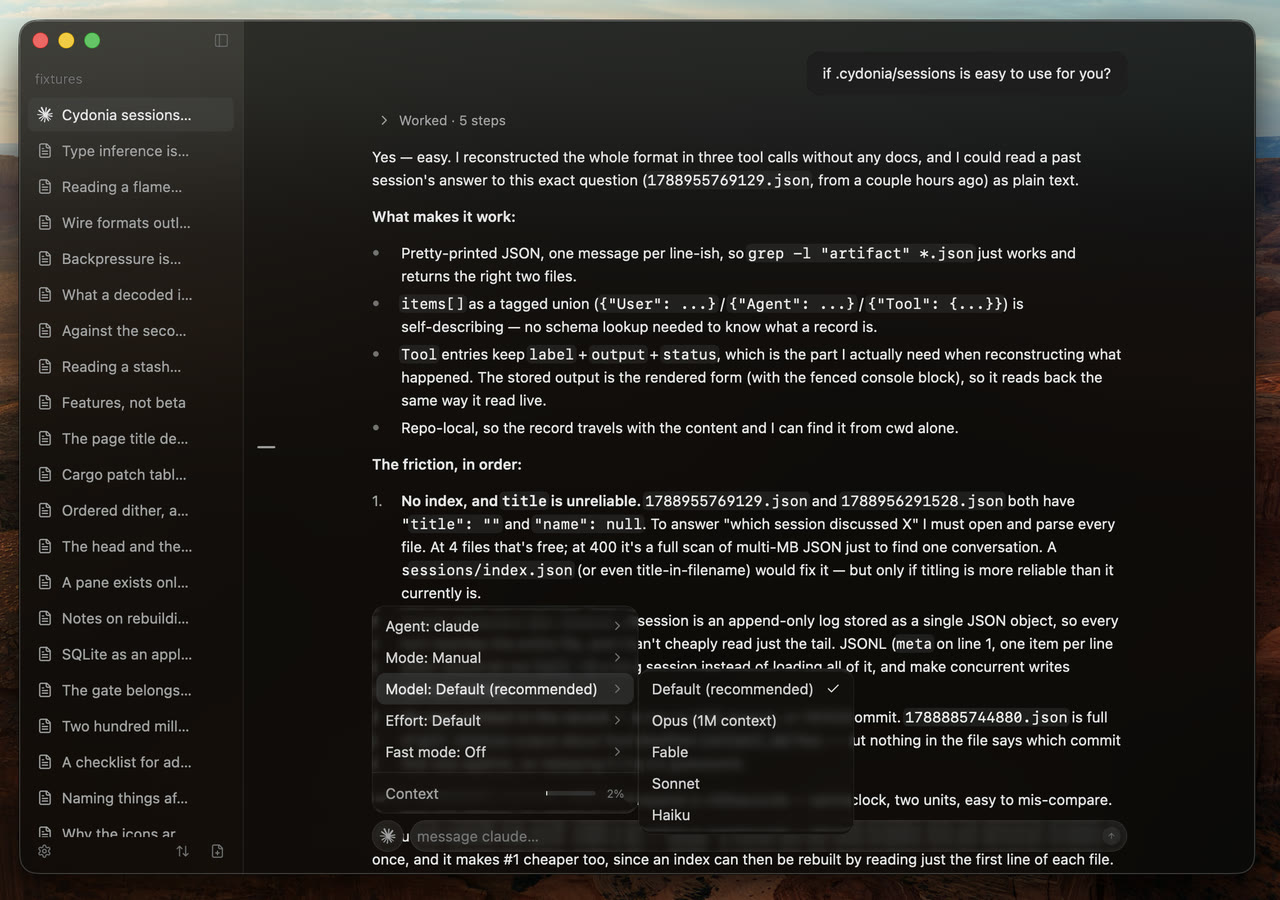
- Put bezel's thinking orbs on the working turn and its row
- Rebuild the menus on bezel 0.1.8, and describe the slash commands
- Meter the context in the agent menu and keep it across a load
- Draw the permission request as an alert and the steer as a message
- Name the turn in flight and count what it is spending
- Select and copy text out of the transcript
- Pick the agent's model and mode from its menu, and meter the context
- Make the watch delay a setting in Settings > Performance
- Watch each open project's .cydonia and reconcile what lands in it
Fixed
- Capture an agent's stderr instead of inheriting it
- Close an agent's connection before killing its process
-
The first release.
New
- The product site, a macOS bundle, the menu bar and settings
- Rebuild the sidebar around one ordered list per project
- Gate agents and open each project where it was left
- Persist every session and rebuild the chrome on bezel's tokens
- Turn the app into a per-project workspace
- Add per-project boards and articles, and a settings window
- ACP coverage, registry installs, and a GPUI client
Changed
- Rebuild the desktop client on bezel and cacp